Free qualitative analysis software that runs on your computer.
Code interviews, organize evolving codes, and write analytic memos on macOS and Windows. Fleuron is free and open source for offline coding. Optional team sync shares codebook and coding information without uploading transcript files or memo fields.
I built Fleuron because I wanted to code interviews without a software subscription or uploading my transcripts to a hosted analysis service.
Offline coding: free forever. Hosted collaboration: free during beta; paid plans planned.
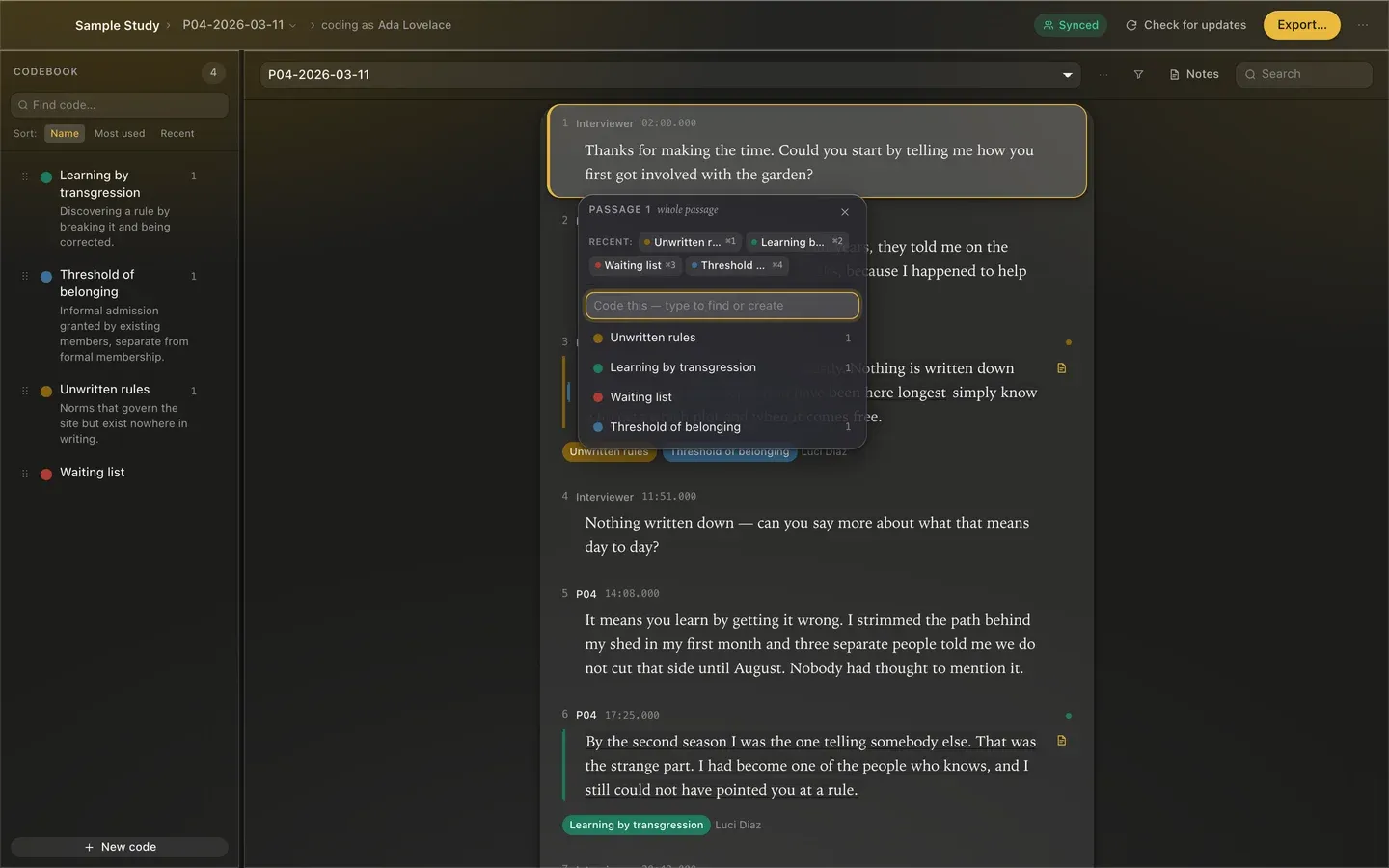
Synthetic community-garden interview in the demo workspace. Span-level and whole-turn coding with keyboard navigation.
Designed for reflexive qualitative analysis
Span and whole-turn coding
Code precise word spans or entire speaker turns. Use the coding bubble and keyboard shortcuts to assign codes.
Living codebook
Organize evolving codes into hierarchies. Add optional definitions, criteria and examples as your interpretation develops.
Reflexive memos
Write analytic memos and methodological notes alongside your transcripts. Memo fields are excluded from collaboration sync; exports can include them.
Multi-format import & rich export
Import plain text, Word .docx files, .vtt/.srt transcripts, and CSV/TSV text. Export self-contained HTML reports, formatted PDFs, and CSV matrices.
Where your research data lives
Fleuron's collaboration sync excludes transcript text and memo fields. Codebook definitions, examples and study labels sync as written. Keep identifying information out of those fields, including quotes copied from transcripts. Exports and backups are saved where you choose; they may leave your device when you share them or use a synced folder.
Excluded from collaboration sync
- Transcript files and full text
- Quote fields and passage text
- Original filenames and folder paths
- Analytic and coding memo fields
- Full project database and backups
- Interview dates and diagnosis fields
Collaboration sync · HTTPS / WSS
Shared when collaboration is enabled
- Study and participant labels
- Code names, hierarchy and colors
- Definitions, criteria and examples
- Coded spans: IDs and character offsets
- Coder names and memberships
- Content hashes and revision metadata
Codebook text syncs as written, including any copied quotes. Exports and backups can leave your device through sharing or synced folders.
Stored credential files remain on this computer. Authentication uses credential values with the configured sign-in service.
Read the complete privacy and permissions disclosure →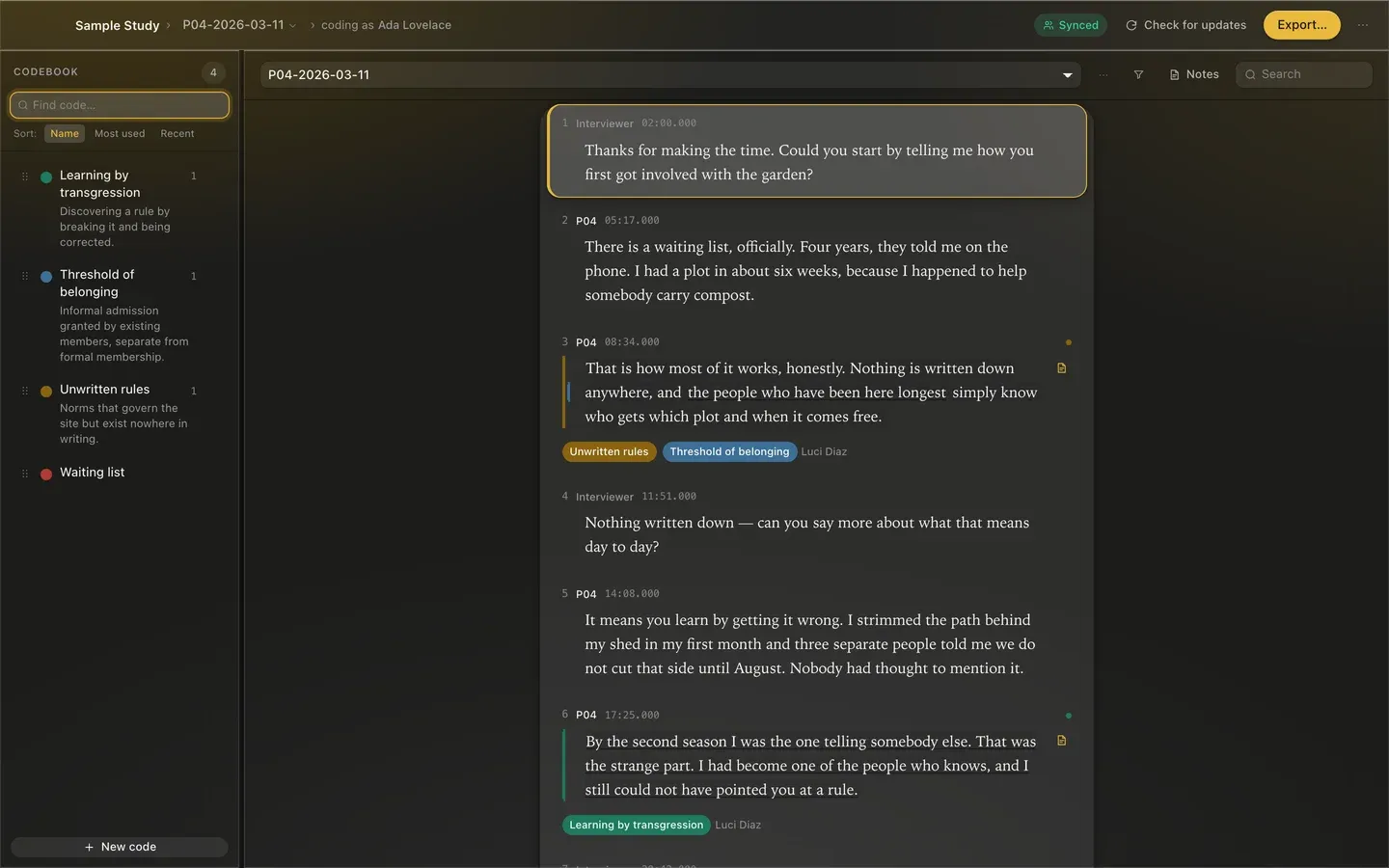
Hierarchical codebook with color swatches and code counts.
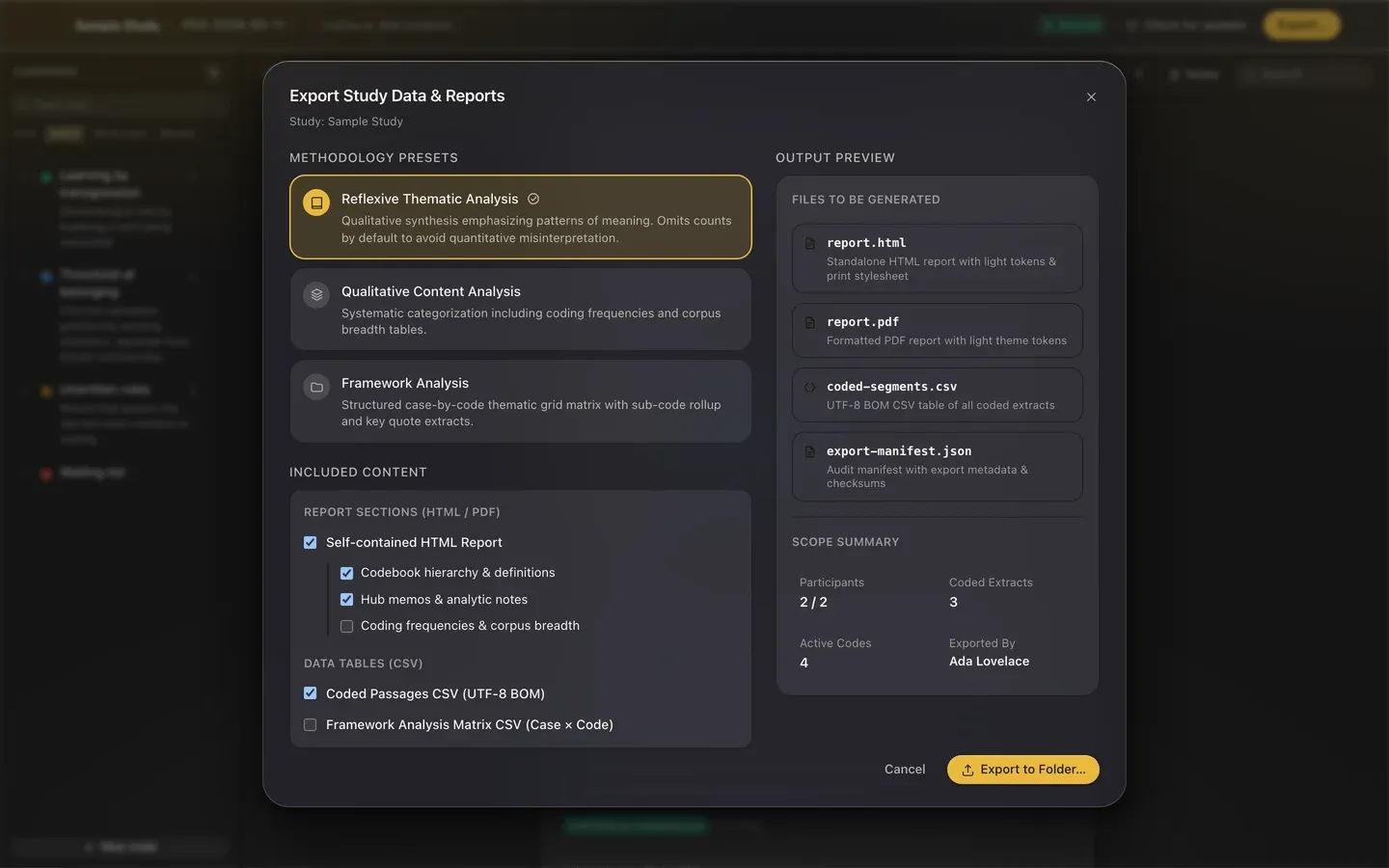
Methodology presets for Reflexive Thematic Analysis and Content Analysis.
What it costs
Offline coding is free forever. Hosted collaboration is optional and free during beta. Paid plans and terms for beta users will be announced before charging begins. There is no Fleuron software fee for self-hosting; you are responsible for infrastructure and administration costs.
Honest limits
Unsigned installers
Current builds are not Apple-notarized or Windows publisher-signed. See the installation guide for expected warnings and when to stop. Read the installation guide.
Operating systems
Supported: macOS 14+ (Intel and Apple Silicon universal build) and Windows 11 x64. macOS 10.15–13 and Windows 10 are best effort. No Linux or native Windows ARM package is provided.
Single maintainer
Fleuron is built and maintained by one researcher who uses it for qualitative work.
Issue tracker support
Ordinary support uses public GitHub Issues. Report security vulnerabilities privately through GitHub security reporting. There is no email support or chat helpdesk.
Try a small analysis
Start with fictional interviews and follow the transcript-coding tutorial. Explore a reflexive thematic analysis workflow or compare Fleuron, Taguette and QualCoder.
Common questions
What is free, and what will be paid?
Offline coding is free forever. Hosted collaboration is optional and free during beta. Paid plans and terms for beta users will be announced before charging begins. There is no Fleuron software fee for self-hosting; you are responsible for infrastructure and administration costs.
Can I code without an account or internet connection?
No account is needed for local coding. Coding works without an internet connection. Automatic update checks contact GitHub at startup and periodically while the app is open; you can turn them off in Settings. Sign-in, session renewal and collaboration contact the configured service when those features are used.
What data syncs?
Fleuron's collaboration sync excludes transcript text and memo fields. Codebook definitions, examples and study labels sync as written. Keep identifying information out of those fields, including quotes copied from transcripts. Exports and backups are saved where you choose; they may leave your device when you share them or use a synced folder. Read the full disclosure.
Which import and export formats are supported?
Import .txt, .md, .docx, .vtt, .srt, .csv and .tsv transcripts. Export HTML and PDF reports and CSV coded passages or framework matrices. Fleuron does not import native NVivo project files.
Which operating systems are supported?
Supported: macOS 14+ (Intel and Apple Silicon universal build) and Windows 11 x64. macOS 10.15–13 and Windows 10 are best effort. No Linux or native Windows ARM package is provided. Check download and installation details.
Does software replace methodological judgment?
No. Fleuron helps you organize coding and memos. It does not validate interpretations, establish research rigor or certify compliance. Read the workflow guide.